Uncategorized files
Jump to navigation
Jump to search
Showing below up to 50 results in range #101 to #150.
View (previous 50 | next 50) (20 | 50 | 100 | 250 | 500)
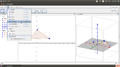 3.Three panes in Geogebra window.png 1,366 × 768; 101 KB
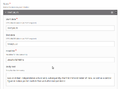 3. Add details about each slide.png 824 × 610; 36 KB
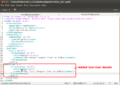 3. Added words in kanagram11.png 896 × 633; 113 KB
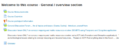 3. Course assignments Moodle .png 704 × 276; 39 KB
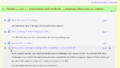 3. Course assignments Moodle 2 .png 899 × 510; 52 KB
 3. Display options of objects - angles and lines.gif 500 × 350; 135 KB
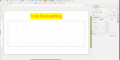 3. Formatting text.gif 800 × 400; 578 KB
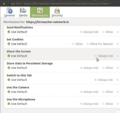 3. Give permission to the share the screen.png 588 × 556; 76 KB
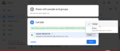 3. Google drive - give view option to just others to see your file.png 1,296 × 550; 91 KB
 3. Inserting slides into video .png 1,366 × 768; 171 KB
 3. Inside Break out room 2.png 1,920 × 1,080; 412 KB
 3. Kdenlive arranging clicps.png 848 × 276; 34 KB
 3. LO Calc Data Pivot 3. Current Selection.png 1,366 × 768; 337 KB
 3. LO hi UI - select user interface.PNG 793 × 484; 49 KB
 3. Library - righ oane.png 577 × 589; 94 KB
 3. Measuring area - after describing the given figure as a polygon.gif 919 × 707; 144 KB
 3. Upload files.png 800 × 353; 43 KB
 3. appgrid click on install.png 1,920 × 1,080; 618 KB
 3. click on record as GIF button to start record.png 967 × 703; 24 KB
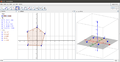 3D view.png 1,361 × 708; 80 KB
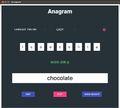 3 Indic-anagram - corrected word.png 802 × 720; 30 KB
 3 Turtle blocks pen.png 678 × 218; 23 KB
 4-Searching resources hi.png 1,366 × 768; 52 KB
 4.Kannada Ubuntu Interface.png 1,366 × 768; 540 KB
 4.Moving objects.png 1,366 × 768; 52 KB
 4.Sibling Node.png 1,092 × 596; 275 KB
 4. Course discussion section Moodle .png 899 × 449; 59 KB
 4. Google drive - Copy your google drive file link.png 1,296 × 550; 87 KB
 4. LO Calc Data Pivot 4. Pivot form.png 1,366 × 768; 290 KB
 4. LO hi UI - select hi package from the list.png 1,920 × 1,080; 197 KB
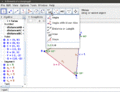 4. Measuring perimeter of a polygon or circle.gif 919 × 707; 87 KB
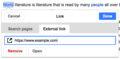 4. VisualEditor-link tool-external link.png 600 × 294; 50 KB
 4. appgrid installed.png 1,920 × 1,080; 612 KB
 4. click on STOP button to stop gif recording.png 967 × 703; 23 KB
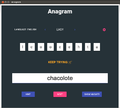 4. indic-anagram - type wrong word.png 802 × 720; 30 KB
 4. kdenlive - using scissor tool .png 664 × 274; 32 KB
 4. kdenlive - using sizor tool .png 848 × 276; 38 KB
 49024-SOS-ATM.JPG 1,280 × 960; 151 KB
 4 Turtleblocks Colour.png 1,010 × 517; 56 KB
 5-Browsing information hi.png 1,366 × 768; 208 KB
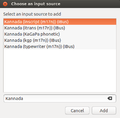 5.Adding Kananda languages in text entry.png 409 × 401; 22 KB
 5.File Search1.png 772 × 369; 42 KB
 5.File Search hi.png 1,366 × 768; 72 KB
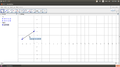 5.Moving by rotating around a point.png 1,366 × 768; 52 KB
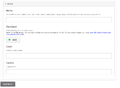 5. Adding media to the slide.png 980 × 720; 36 KB
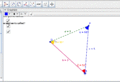 5. Changing the pint styles in geogebra.gif 914 × 623; 112 KB
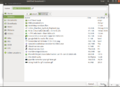 5. Give file name to save the gif files.png 967 × 703; 130 KB
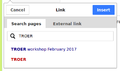 5. Internal Link TROER.png 426 × 251; 13 KB
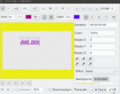 5. Kdenlive - adding the title.png 690 × 538; 67 KB
 5. Kdenlive - adding title.png 701 × 563; 65 KB


