Difference between revisions of "Hindi typing"
Jump to navigation
Jump to search
m |
m |
||
| Line 1: | Line 1: | ||
| + | === Typing software === | ||
| + | In Ubuntu, the IBUS application supports typing in many languages, including Hindi (Devanagari) | ||
| + | |||
| + | === Typing method === | ||
IBUS (Ubuntu) offers many typing methods for Devanagari script, as follows | IBUS (Ubuntu) offers many typing methods for Devanagari script, as follows | ||
{| class="wikitable" | {| class="wikitable" | ||
| Line 14: | Line 18: | ||
See spreadsheet with keyboard options [[:File:Devanagari script - testing Krutidev for Rajasthan program.ods|here]] | See spreadsheet with keyboard options [[:File:Devanagari script - testing Krutidev for Rajasthan program.ods|here]] | ||
| + | |||
| + | === Fonts === | ||
| + | Google has created new [https://fonts.google.com/?subset=devanagari fonts] | ||
[[Category:Rajasthan]] | [[Category:Rajasthan]] | ||
[[Category:Hindi]] | [[Category:Hindi]] | ||
Revision as of 22:37, 31 March 2018
Typing software
In Ubuntu, the IBUS application supports typing in many languages, including Hindi (Devanagari)
Typing method
IBUS (Ubuntu) offers many typing methods for Devanagari script, as follows
| itrans | is fully phonetic, best for people who are good in English and new to Hindi typing. See keyboard image here |
| remington | those who are used to Hindi typing on typewriter (Krutidev method). See keyboard image here |
| inscript | those who are used to inscript. See keyboard image here |
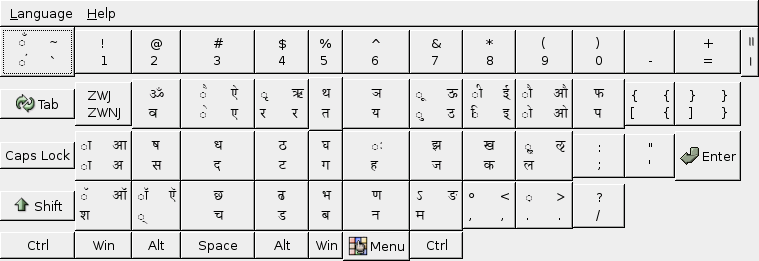
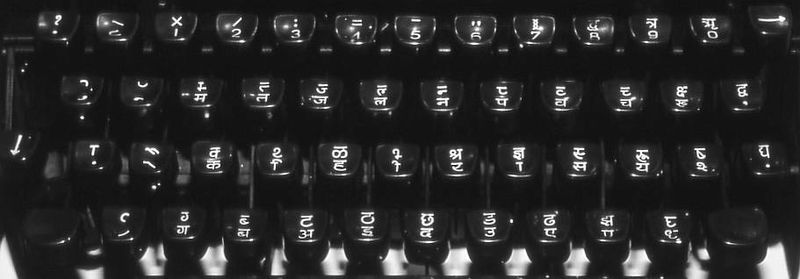

Krutidev is a popular typing method. In Ubuntu (IBUS), the closest method to Krutidev is Remington
See spreadsheet with keyboard options here
Fonts
Google has created new fonts