Difference between revisions of "Learn Moodle"
| Line 52: | Line 52: | ||
Under the restrict section, you can restrict the page to access as in the below screenshot. | Under the restrict section, you can restrict the page to access as in the below screenshot. | ||
| − | + | <gallery mode="packed" heights="300px" caption="Moodle - editing course content sections"> | |
| − | + | File:Moodle - edit - restrictions 3.png|set restrictions to access the section | |
| + | File:moodle add or remove sections.png|To add or remove sections | ||
| + | </gallery> | ||
Once you done all this click on "save changes" button to save your content under that section. | Once you done all this click on "save changes" button to save your content under that section. | ||
Revision as of 12:12, 8 March 2018
Introduction
a teacher has responsibility for the materials in their own course. They often also manage enrolments and are able to change the layout of the course page. This page introduces Moodle's features to those with the Teacher role.
Basic information
| ICT Competency | Moodle is a learning platform designed to provide educators, administrators and learners with a single robust, secure and integrated system to create personalised learning environments. |
| Educational application and relevance | It is an collaborative learning environments that empower both teaching and learning
In Moodle |
| Version | currently using 3.4 |
| Other similar applications | TalentLMS, |
| The application on mobiles and tablets | It is a web based software installing in the web server. |
| Development and community help | Moodle |
Working with Moodle
A course is a space on a Moodle site where teachers can add learning materials for their students. A teacher may have more than one course and a course may include more than one teacher and more than one group of learners
Logging into Moodle course page
Click on your Moodle course link and click on the login to view or edit the course content. click here to use our Moodle.
- Moodle - Login to the course
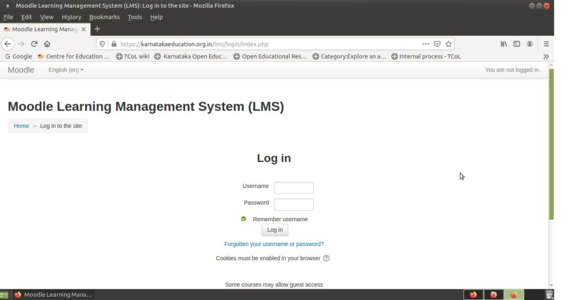
Moodle login screen
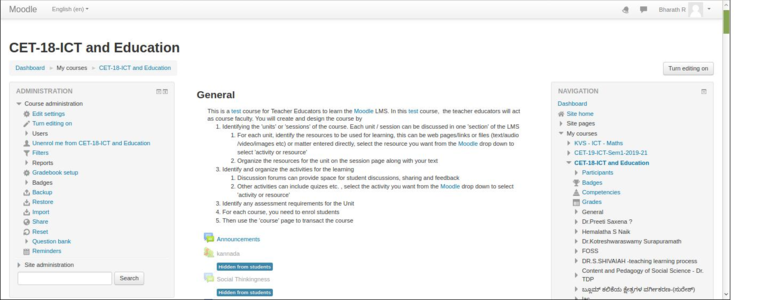
Course home page


Once you login, you can see the course content and on the top right corner if you are seeing your login name, then your looged in with your user name and password.
Editing sections
Once you have a new blank course, you can start work on it by turning on the editing, either with the button top right.
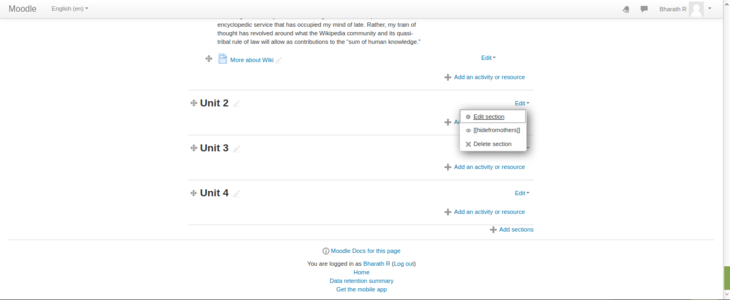
With the editing turned on, each item on your course homepage and each section/block will have edit options next to it which all perform different functions such as edit/move/copy/delete/hide. Note: your theme may have different icons.
Once you you click on edit - edit topics, it will take us to edit page (see the below screenshots).
- Moodle - editing course content sections
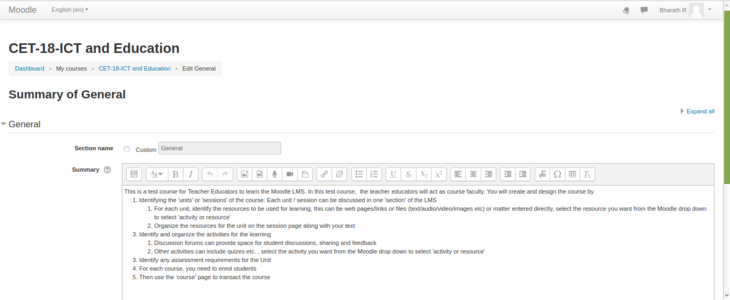


Un-check "Use default section name" to give your custom heading for your section. Start adding section summary under the summary box (you can copy paste from text documents also). Use the top basic formatting toolbar to format your text.
Under the restrict section, you can restrict the page to access as in the below screenshot.
- Moodle - editing course content sections

set restrictions to access the section
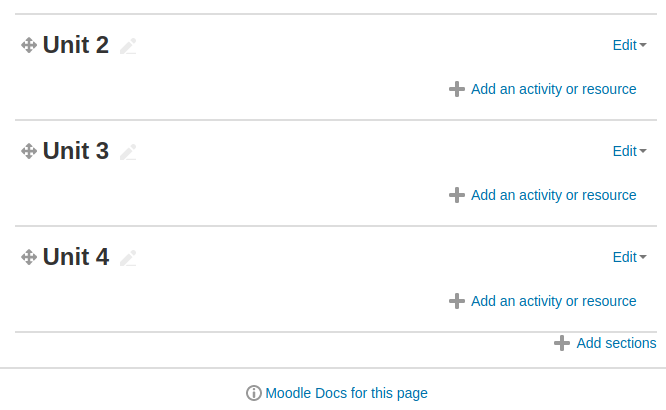
To add or remove sections


Once you done all this click on "save changes" button to save your content under that section.
the "crosshairs" move icon allows you to move items or sections by dragging and dropping. It appears if your admin has enabled this features.
Scroll to the bottom of the curse main page and, below the last section, look for the small + and - icons (at right). Click the plus (+)/minus(-) to add/remove an sections.
Adding activities and resources
As well as adding interactive exercises for your students, you can provide them with static resources. Moodle supports a range of different resource types that allow you to insert to any section. To add a resource, turn on your editing, choose the section in your Course homepage where you'd like it to appear and click on the "Add an activity or resource" then select the type of resources/activities you are going to add into the section from the list.
List will start with activities followed by type of resources.
- Adding activities and resources
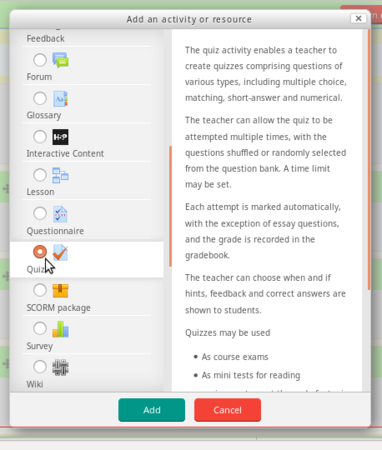
Select type of activity
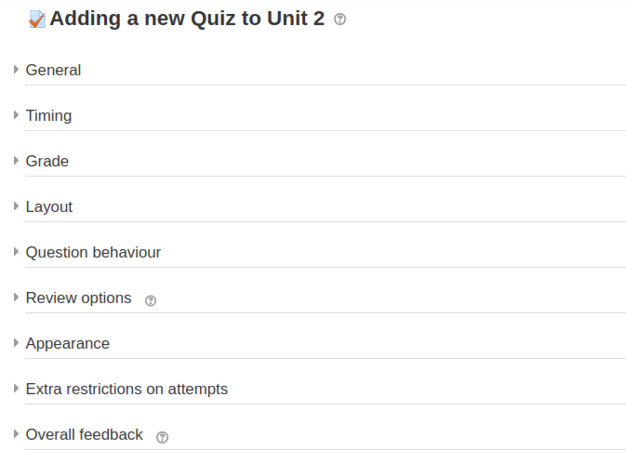
configure your activity


After clicking activity, the next dialog box will be a settings form for the activity. Once the settings form has been filled out and saved, the activity will appear at the bottom of the section. You can move any activity around in the course with the move buttons while in course edit mode. Follow the same procedure for adding resources.
- Adding resources into the sections
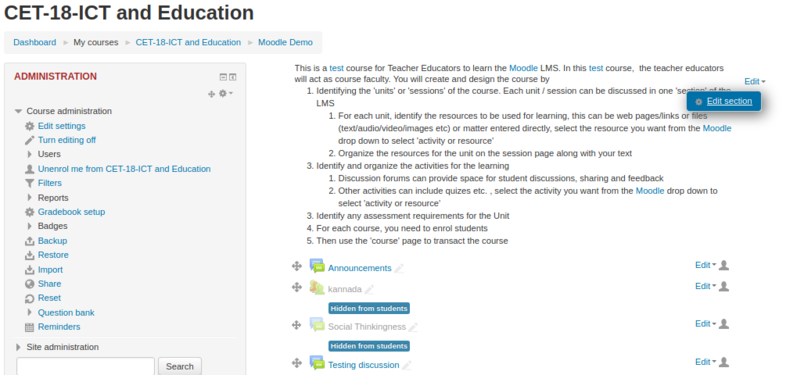
Entering general details about resources
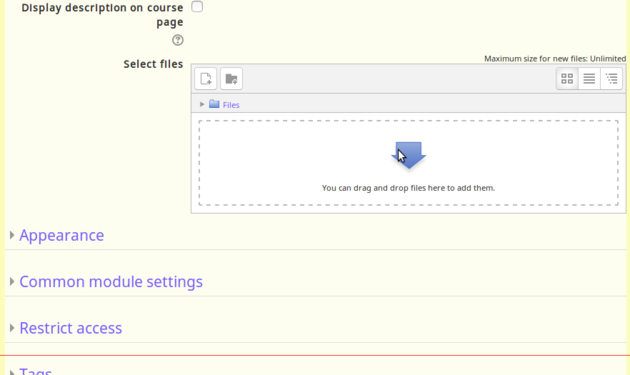
Upload files under the select file section


After you select any resource type from the list for example: file. In the next dialog box will be a settings form as below.
- Name : Type the name for your resources link, it will form the link learners click on to view the file so it is helpful to give it a name that suggests its purpose.
- Description : Add a description of your file here if required.
- Display description on the course page : If this box is ticked, the description will appear on the course page just below the name of the file.
- Content section : click on "Add" and use the File picker to upload your file or drag and drop your file onto the arrow if you are using an appropriate browser. Here you can also create folder and add multiple resource files.
Finally, click on the save and display to display your activities or resources under the specified section.