Difference between revisions of "Libre Office Installation"
| Line 20: | Line 20: | ||
* A shortcut to open LibreOffice should be placed on your desktop. The default option is to create a shortcut. | * A shortcut to open LibreOffice should be placed on your desktop. The default option is to create a shortcut. | ||
* To load LibreOffice during system start-up. | * To load LibreOffice during system start-up. | ||
| + | If you need these options by default, let the check mark be checked. Uncheck otherwise. | ||
| + | |||
| + | * Click on "Install" to proceed with installation. | ||
| + | |||
| + | * Once the installation gets completed, click "Finish". | ||
<gallery mode="packed" heights="300"> | <gallery mode="packed" heights="300"> | ||
File:Ready to install the program.jpg|Ready to install the program | File:Ready to install the program.jpg|Ready to install the program | ||
Revision as of 16:30, 15 September 2022
Introduction
LibreOffice is the free and open-source software package. LibreOffice is similar to Microsoft Office. Here we will learn how to install the LibreOffice in windows.
Steps
- Download "LibreOffice windows installer" from below
- If you are unsure which Windows version you have, press Win+Pause to open your system properties window. The LibreOffice Main Installer download page can be selected with a built-in help file for your language:
- Double-click on download "LibreOffice_..._Win_x64.msi" file to begin installation
- It will start downloading "LibreOffice" into your computer (by default browser will save the files in Downloads folder in your system)
Click "Yes" if it asks your permission to allow this program make change to the computer. The installation wizard welcome dialog box opens advising that the installation process is about to be started. Click “Next” Another dialog box opens, giving you a choice whether you want a default installation, or whether you want to choose special locations and components. If you want a default installation, click “Next”.
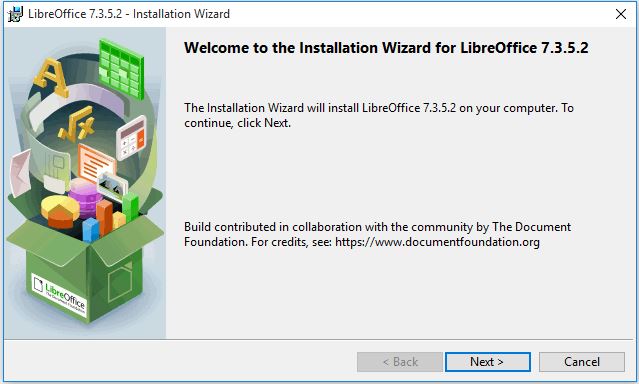
Installation Wizard
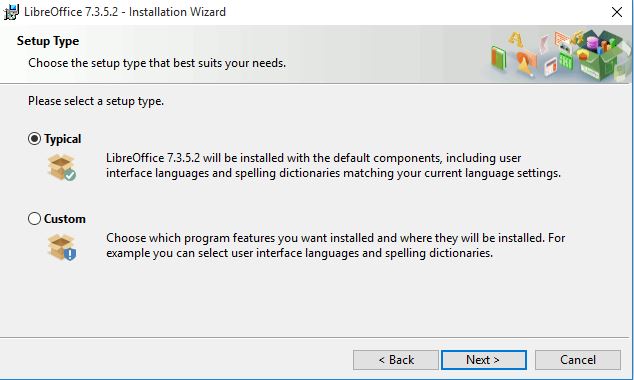
Setup type


Another dialog box opens, asking you whether:
- A shortcut to open LibreOffice should be placed on your desktop. The default option is to create a shortcut.
- To load LibreOffice during system start-up.
If you need these options by default, let the check mark be checked. Uncheck otherwise.
- Click on "Install" to proceed with installation.
- Once the installation gets completed, click "Finish".
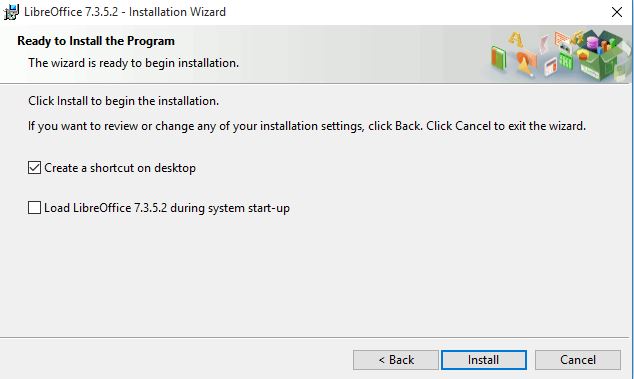
Ready to install the program
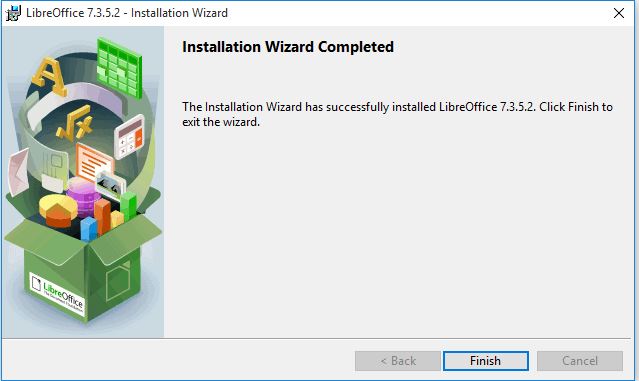
Finish


Language package installation in LibreOffice
LibreOffice interface has been translated (localized) into over 40 languages and most of the Indian languages. Additionally, there are over 70 spelling dictionaries available for languages. The dictionaries are available from the LibreOffice website. To use LibreOffice interface in your own language like Hindi, Kannada or in any other language, please follow below instructions.
- Once again double click on the Downloaded installation file, which will open LibreOffice installer wizard click on the "Next" option.
- On the next (Program Maintenance) screen you will get 3 options (Modify, Repair, Remove), choose "Modify" option and click on "Next".
Installation wizard
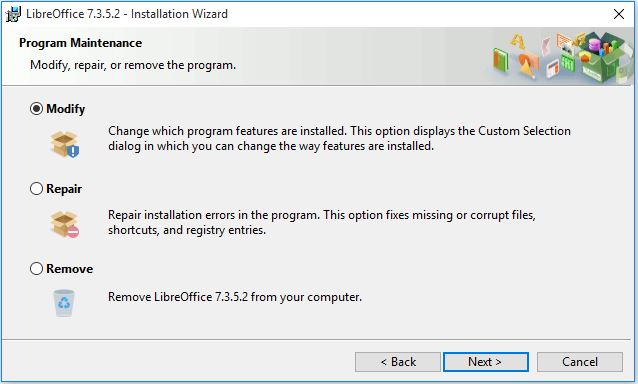
Select modify

- In the next screen, if you would like to install and use LibreOffice in your preferred language, then click on "+" button (small down arrow) in "User interface languages"
- It will open the list of options. In that select "This feature and all sub features, will be installed on the local hard drive".
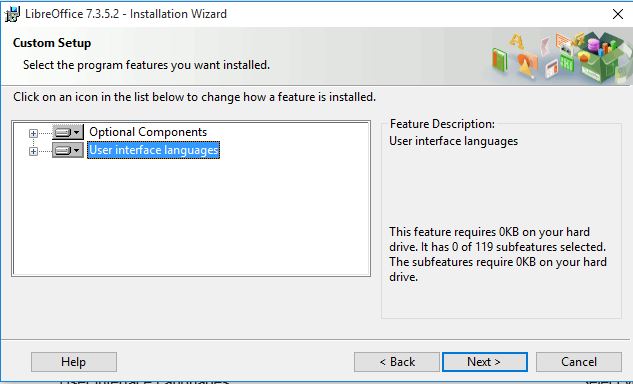
User interface Language
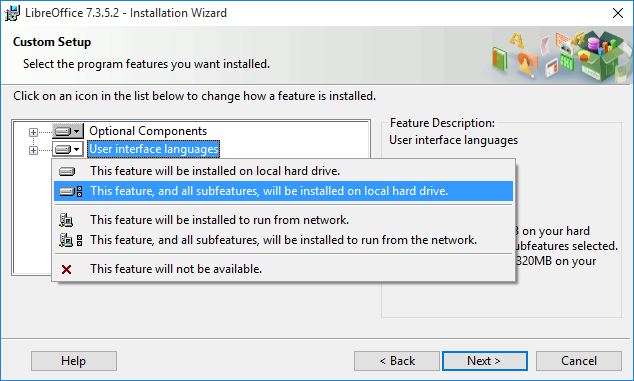
Select your preferred language


- Another dialog box opens, inviting you to choose whether to open Microsoft Office documents with LibreOffice. By default, this feature is not enabled. If you want LibreOffice to open Microsoft Office files (documents, spreadsheets and presentations), put a check mark in all four check boxes.
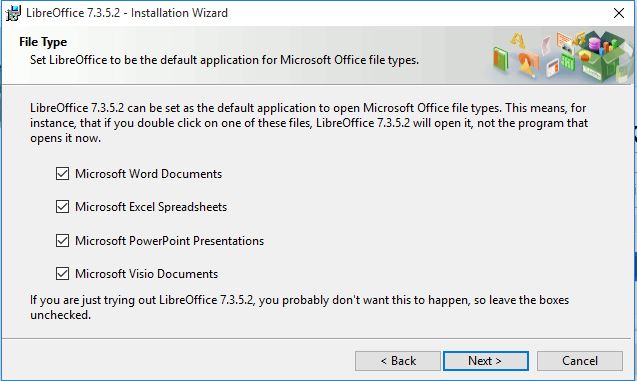
File type selection

- Another dialog box opens, asking you whether: A shortcut to open LibreOffice should be placed on your desktop. The default option is to create a shortcut.
To load LibreOffice during system start-up.
Finish
- Now the LibreOffice is ready to use.