Difference between revisions of "Install applications"
| Line 28: | Line 28: | ||
This will give you the output result, this will show you whether your application is available in the repository. | This will give you the output result, this will show you whether your application is available in the repository. | ||
| − | [[File:terminal-search applications.png| | + | [[File:terminal-search applications.png|550px]] |
If the package is available in the repository, type the below command to install it (replace "package name" with your package name). | If the package is available in the repository, type the below command to install it (replace "package name" with your package name). | ||
| Line 37: | Line 37: | ||
File:terminal-install command 2.png | File:terminal-install command 2.png | ||
</gallery> | </gallery> | ||
| − | |||
This will download and install all of the packages listed. If there are dependencies – other prerequisite packages – they will also be installed. Sometimes you’ll also see a list of recommended but optional packages to go along with your selection. Sometimes, you’ll also see a confirmation prompt, though not always. | This will download and install all of the packages listed. If there are dependencies – other prerequisite packages – they will also be installed. Sometimes you’ll also see a list of recommended but optional packages to go along with your selection. Sometimes, you’ll also see a confirmation prompt, though not always. | ||
<gallery mode="packed" heights="375px"> | <gallery mode="packed" heights="375px"> | ||
| Line 43: | Line 42: | ||
File:terminal-install command 4.png | File:terminal-install command 4.png | ||
</gallery> | </gallery> | ||
| − | + | After it finishes the installation process, a screen will look like this. <br> | |
| − | After it finishes the installation process, a screen will look like this. | + | [[File:terminal-install command 5.png|550px|centre]] |
| − | [[File:terminal-install command 5.png| | ||
=== Through Downloading packages from the website === | === Through Downloading packages from the website === | ||
Revision as of 10:46, 18 February 2021
In any operating system, you can install application after the complete installation of the Operating System. In any Linux based Operating systems you can install user applications through different method. All Linux apps are distributed as packages, which are nothing more than files associated with a package management system. Every Linux distribution comes with a package management system, but they are not all the same.
A package management system is comprised of sets of tools and file formats that are used together to install, update, and uninstall Linux applications. The two most common package management systems are from Red Hat and Debian. Red Hat, CentOS, and Fedora all use the rpm system (.rpm files), while Debian, Ubuntu, Mint, and Ubuntu use dpkg (.deb files). The primary difference between these systems is how they install and maintain apps.
Through Software center
The most easiest and most convenient way to install the software in Ubuntu is by using the Software center app called "App Grid". On Ubuntu mate, go to System menu → Administration → click on App grid to open it.
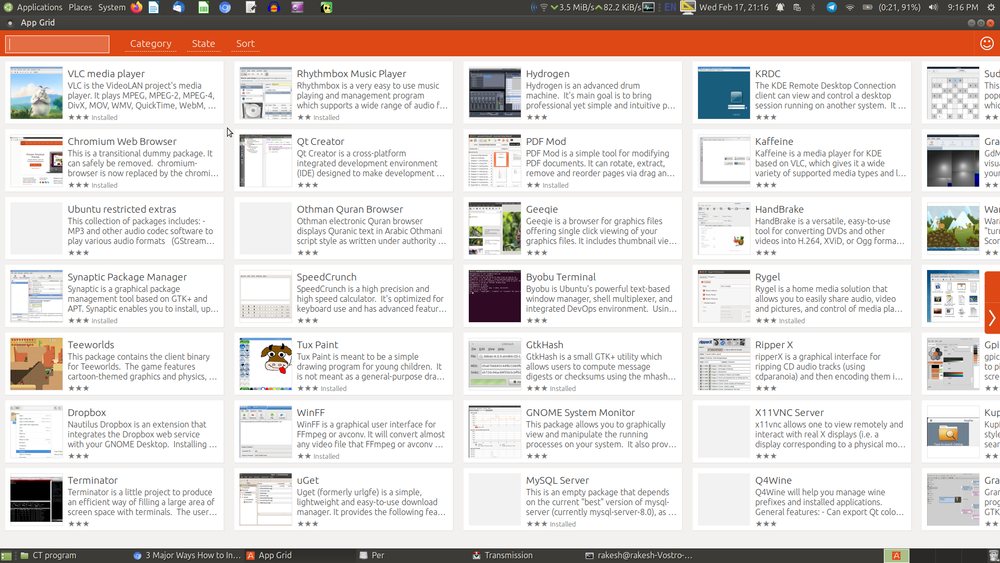
Open App Grid
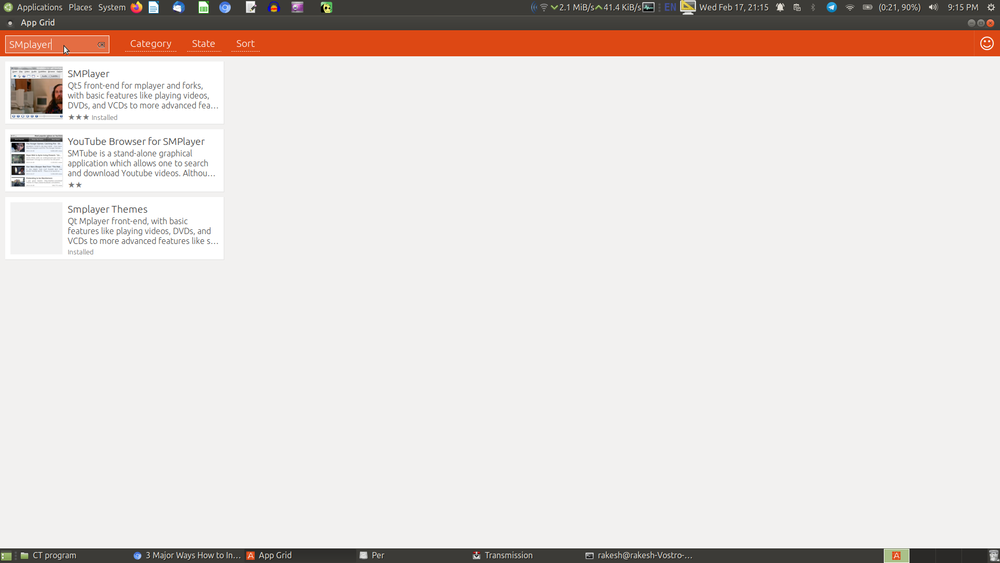
App Grid menu


You can think of the App Grid as like Google’s Play Store or Apple’s App Store in our smartphones or tabs. Basically, It showcases all the software available for your Ubuntu OS. You can either search for an application by its name or just browse through various categories of software. You can also see all the installed apps under the "state" menu.


Once you find the application you are looking for, simply click on it. This will open a page inside the App Grid with a description of the application. you can click on the install button to install it and then you have to enter your password in order to install applications on Ubuntu.
Through command prompt
Ubuntu use .deb files and the dpkg package management system. There are two ways to install apps via this system. You can use the apt application to install from a repository, or you can use the dpkg app to install apps from .deb files. Let's take a look at how to do both.
Installing apps using apt :
Open terminal by pressing Ctrl+Alt+T or go to Applications → System tools → terminal and first you check whether your application is available in the Ubuntu repository by using the below command (replace "search terms" with your package name).
apt-cache search [search terms]
This will give you the output result, this will show you whether your application is available in the repository.

If the package is available in the repository, type the below command to install it (replace "package name" with your package name).
sudo apt-get install [package name]
After you type the command, press Enter key and it will ask you to type your system administration password (This will not appear on the screen, just type and press Enter).


This will download and install all of the packages listed. If there are dependencies – other prerequisite packages – they will also be installed. Sometimes you’ll also see a list of recommended but optional packages to go along with your selection. Sometimes, you’ll also see a confirmation prompt, though not always.


After it finishes the installation process, a screen will look like this.
