Difference between revisions of "Learn VLC Player"
Jump to navigation
Jump to search
| Line 105: | Line 105: | ||
===== Recording the video ===== | ===== Recording the video ===== | ||
| + | [[File:Video recording in VLC.png|none|thumb|600x600px|Video recording]] | ||
* VLC allows you to record the video that is playing. | * VLC allows you to record the video that is playing. | ||
* To do this, Click on Playback --> Record or alternatively there is a red colored button in the interface above the Play/Pause button. Click on that. | * To do this, Click on Playback --> Record or alternatively there is a red colored button in the interface above the Play/Pause button. Click on that. | ||
Revision as of 10:44, 16 June 2022

Introduction
Basic Information
| ICT Competency | VLC Media Player is a general purpose application to play audio and videos. |
| Educational application and relevance | VLC media player is used to play video and audio files. It supports to play all Audio and Video format files such as mp4, mpeg, divx, flv, mp3, mkv etc). |
| Version | VLC Media Player 3.4.0 |
| Configuration | After installation, no need to do any configure. Just open VLC media player. |
| Other similar applications | Winamp, SMPlayer, Media Player Classic, MX Player, Windows Media Player |
| The application on mobiles and tablets | VLC for Android |
| Development and community help | VLC Media Player |
Overview of Features
- Simple, fast and powerful media player.
- Plays everything: Files, Discs, Webcams, Devices and Streams.
- Plays most codecs with no codec packs needed: MPEG-2, DivX, H.264, MKV, WebM, WMV, MP3.
- Runs on all platforms: Windows, Linux, Mac OS X, Unix.
Installation
For Windows
- To install VLC Media Player on Windows you can download the installation file click here
- Follow the installation steps and create a desktop shortcut for easy access.
For Ubuntu
- To download the file click here
- Alternatively open terminal in Ubuntu. In the command line give the command "sudo snap install vlc".
For MAC
- To download the file click here
Working with the application
Opening and using the application
- To launch the VLC media player, Go to Application --> Sound and Videos --> Click on VLC Media Player.
- To open the media file like audio and video files go to Media menu --> Click on Open file.
- Then Select one or more files to open dialog box will open. Select any Audio and Video file--> Click Open.
- The file starts playing the Audio or Video file which you have selected.
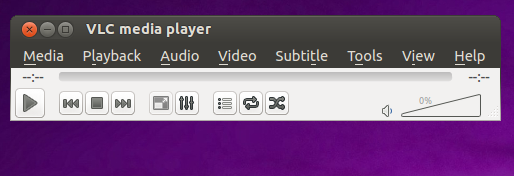
VLC Media Player interface
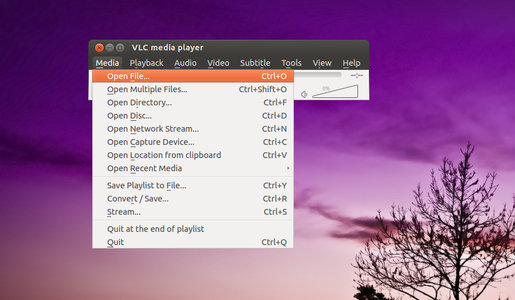
Opening files

Selecting more than one files to play


Play and Pause in VLC
- You can pause the video in between by clicking on the pause button and resume it using play button respectively.
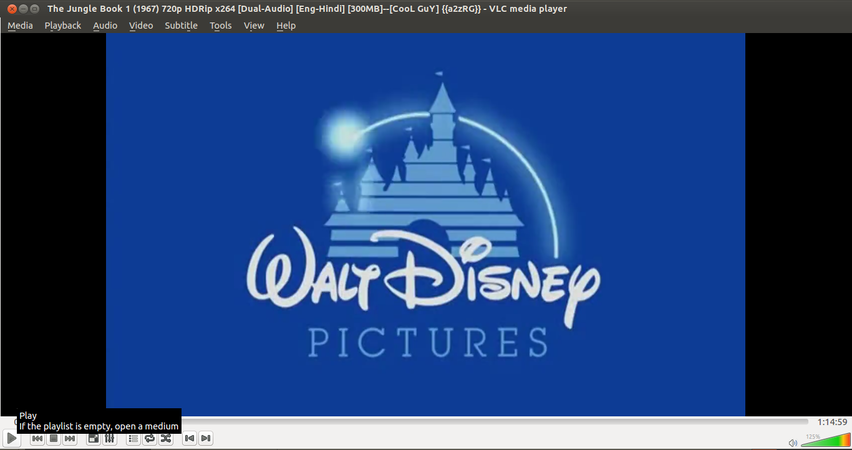
Pause and Play operation

Downloading videos from Youtube
VLC lets you play and download YouTube videos right from its desktop interface. Here's how:
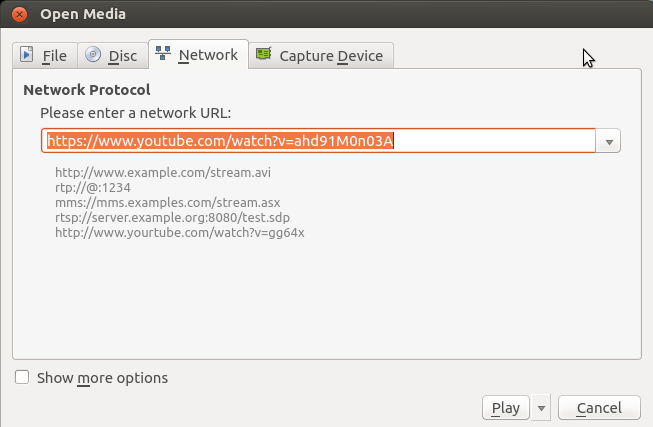
Downloading Youtube videos in VLC

- Find a video on YouTube—like this one—and copy the URL from the address bar.
- In VLC, go to Media --> Open Network Stream.
- Paste the YouTube link in the box and click Play.
- Under Tools, click Codec Information.
- In the box that gives Location, right-click the block of text and click Select All. Copy this text to your clipboard.
- Go back to your browser and paste the link in the address bar. This will open the source file directly on YouTube's server.
- Right-click the video as it plays and select Save Video As.
Convert Video Files
Here's how to convert between one file and another:
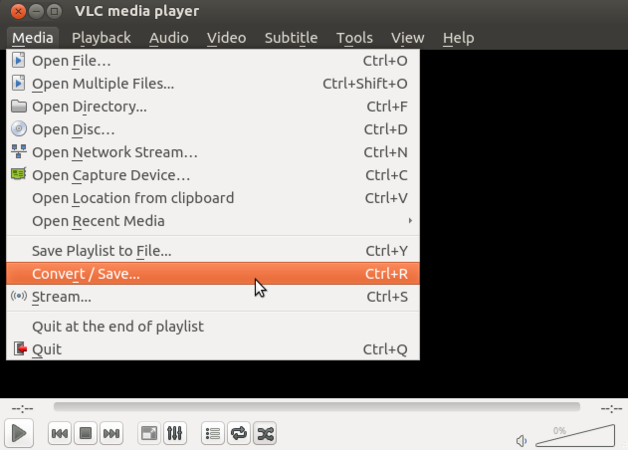
Video conversion in VLC

- Under Media, click "Convert/Save."
- Add the file you want to convert in the File Selection section.
- Click "Convert/Save."
- In the Settings section, choose the type of file you want to convert the file into under Profile.
- Give the file a name and location under Destination.
- Click Start.
Taking Screenshot in a video
- You can take screenshot from any part of the video at anytime in VLC. Advantage of this is that it will capture only the video screen so that you are not required to crop it again.
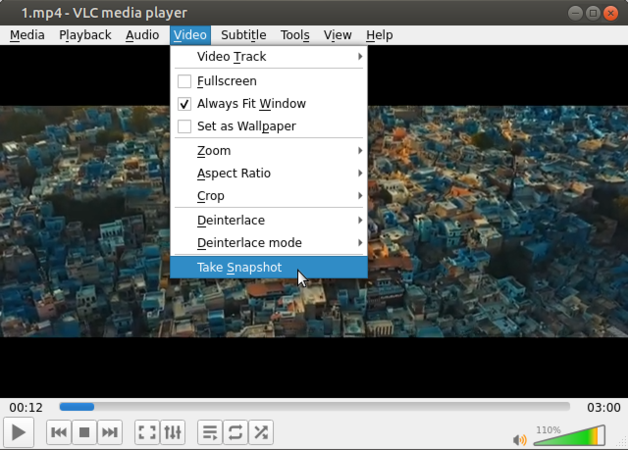
Taking snapshot in VLC

- To do this, open the video.
- Pause the video at the moment where you need a snapshot.
- Click on Video--> Take snapshot.
Recording the video

- VLC allows you to record the video that is playing.
- To do this, Click on Playback --> Record or alternatively there is a red colored button in the interface above the Play/Pause button. Click on that.
- Once you give the command to record the screen, recording process starts and the Record button looks somewhat pressed.
- When you are done with recording, you can again go to Playback --> Record to stop recording. Alternatively you can click on Red button again.
- The recorded videos will be available in your home/videos directory.
Ideas for resource creation
Not Applicable