Difference between revisions of "Learn Soundcloud"
Jump to navigation
Jump to search
| Line 48: | Line 48: | ||
File:Soundcloud_4_Main_Window.png|Soundcloud main page | File:Soundcloud_4_Main_Window.png|Soundcloud main page | ||
</gallery> | </gallery> | ||
| − | #Go to Application - Internet - web browser and type a word Soundcloud | + | #Go to Application - Internet - web browser and type a word Soundcloud in address bar and click on SoundCloud - Hear the world's sounds |
#Sign in or create account, sign in need user name and password (it is for ID password holders). | #Sign in or create account, sign in need user name and password (it is for ID password holders). | ||
| − | #You can log in through our | + | #You can log in through our Facebook or google account also. |
| − | |||
====Upload Audio files==== | ====Upload Audio files==== | ||
Revision as of 12:19, 28 April 2020
Introduction
SoundCloud is a global online audio distribution platform. It enables its users to upload, record, promote, and share their originally created sounds.
Basic information
| ICT Competency | SoundCloud is a application for accessing and publishing audio resources. |
| Educational application and relevance | You can store students voice recording, classroom audio's and can share with others through link. |
| Version | Version - Not Applicable |
| Configuration | No specific configuration requirements but Internet connection is needed to use this application. |
| Other similar applications | Yourlisten |
| The application on mobiles and tablets | Google Play Music, Spotify |
| Development and community help | Official Webpage |
Overview of Features
- Can upload different file formats, It support AIFF, WAVE, FLAC, OGG, MP2, MP3, AAC, AMR and WMA files.
- It allows you to download audio files.
Installation
It is a web based application, there is no installation process.
Working with the application
Access Soundcloud and Login
- Access Soundcloud and Login
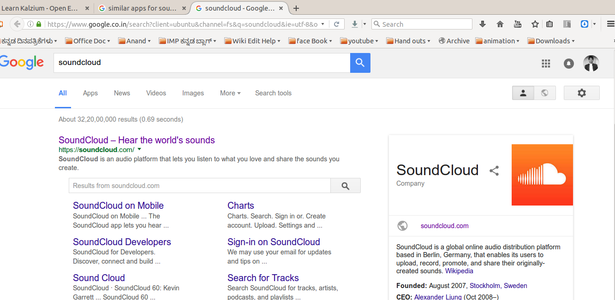
Opeb browser
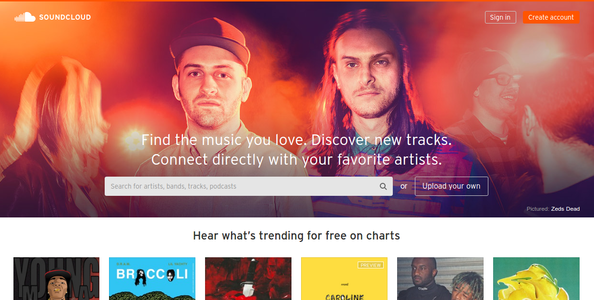
Create account
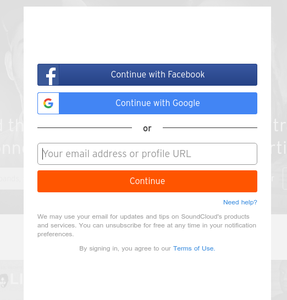
Login
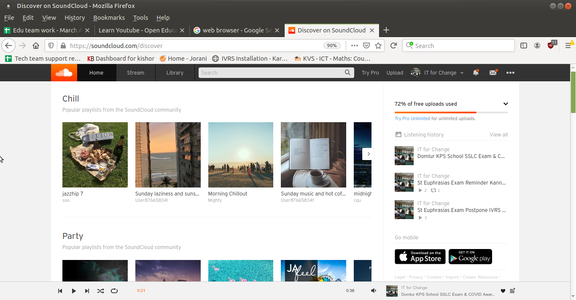
Soundcloud main page


- Go to Application - Internet - web browser and type a word Soundcloud in address bar and click on SoundCloud - Hear the world's sounds
- Sign in or create account, sign in need user name and password (it is for ID password holders).
- You can log in through our Facebook or google account also.
Upload Audio files
- Upload Audio files
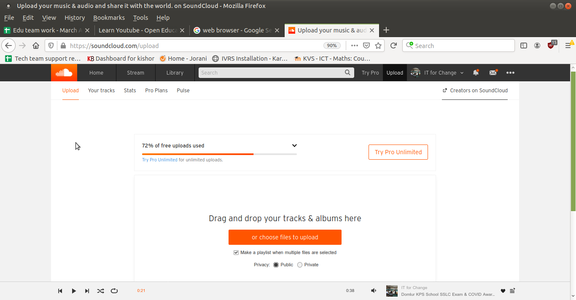
Upload Audio files

Live record your voice
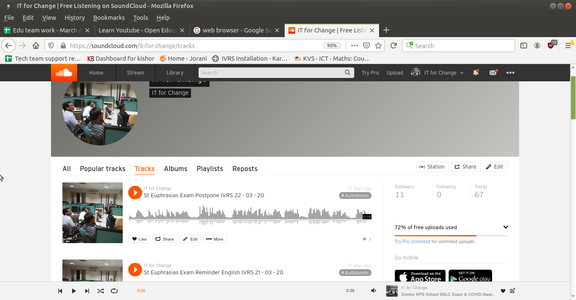
Uploaded files list
- Playing audio in soundcloud.png
Play audio


- You can upload sound and songs under our ID and share with the world Go to Home page and click on "Collection" and then click on Upload.
- You can also record your voice live on Soundcloud page. In your upload page, click on "Start new recording" option and record your voice.
- Uploaded file list will appear like above picture.
- You can play and hear any files.
Saving the files and formats
Not Applicable
Advanced features
Soundcloud has good community user support and it allow you to download and search varieties of creative commons audio resources.
Ideas for resource creation
We can upload own creation Audio resources to this application and can share the link with others.