Difference between revisions of "File:COL - Entering metadata in an image file.png"
Jump to navigation
Jump to search
({{Information |Description ={{en|1=Screen shot of GIMP to enter meta data for a image file}} |Source =Screen shot of GIMP |Author =IT for Change |Date =30 March 2017 |Name = |Alt_names = |Teaches...) |
(No difference)
|


Latest revision as of 18:42, 2 April 2017
Summary
| Description |
English: Screen shot of GIMP to enter meta data for a image file
|
| Date | 30 March 2017 |
| Source | Screen shot of GIMP |
| Author | IT for Change |
Licensing

|
Permission is granted to copy, distribute and/or modify this document according to the terms in Creative Commons License, Attribution 4.0. The full text of this license may be found here: CC by 4.0 |
File history
Click on a date/time to view the file as it appeared at that time.
| Date/Time | Thumbnail | Dimensions | User | Comment | |
|---|---|---|---|---|---|
| current | 18:42, 2 April 2017 | 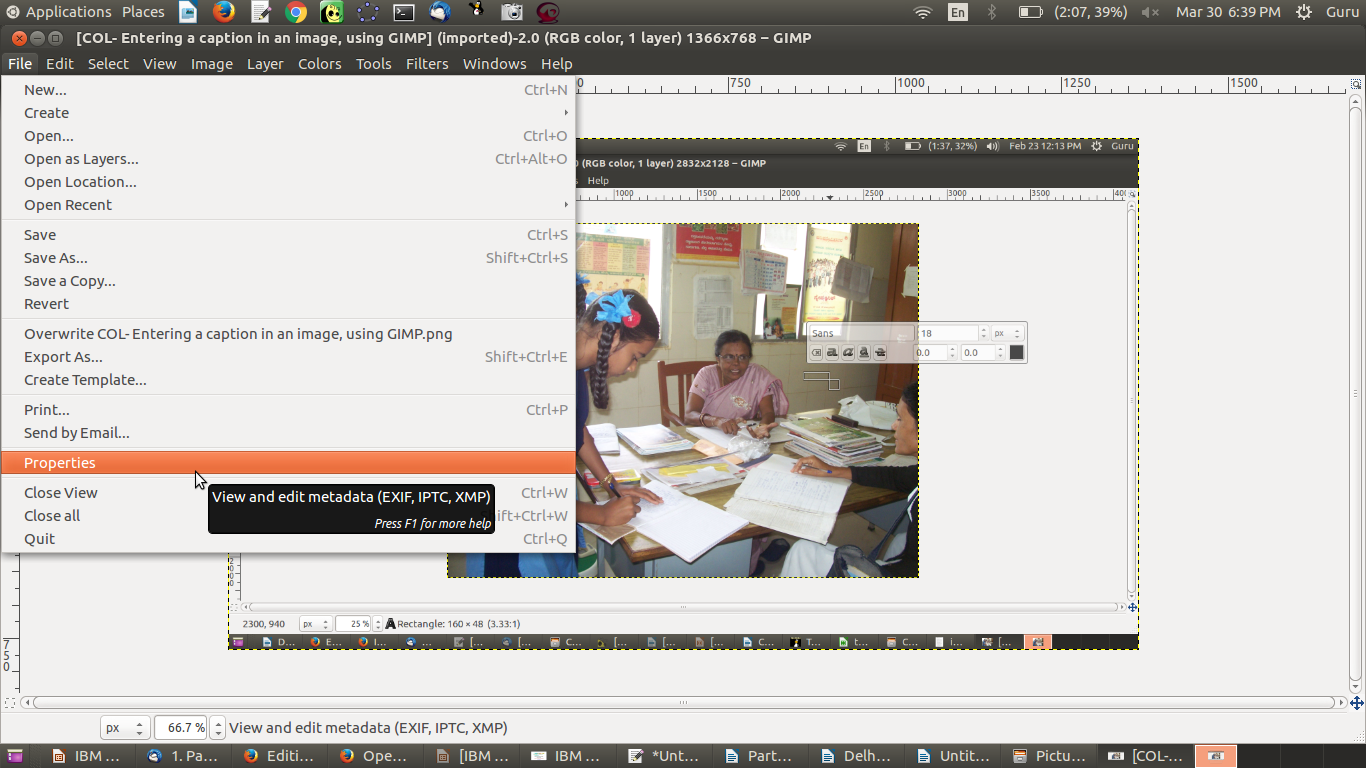 | 1,366 × 768 (364 KB) | Guru (talk | contribs) | {{Information |Description ={{en|1=Screen shot of GIMP to enter meta data for a image file}} |Source =Screen shot of GIMP |Author =IT for Change |Date =30 March 2017 |Name = |Alt_names = |Teaches... |
You cannot overwrite this file.
File usage
The following 2 pages use this file:
