Difference between revisions of "ICT student textbook/Internet is the computer"
Jump to navigation
Jump to search
| (4 intermediate revisions by the same user not shown) | |||
| Line 1: | Line 1: | ||
| − | {{Navigate|Prev=What all can a computer do|Curr=Internet is the computer|Next= | + | {{Navigate|Prev=What all can a computer do|Curr=Internet is the computer|Next=Data representation and processing level 1}} |
'''Internet is the computer''' | '''Internet is the computer''' | ||
| Line 5: | Line 5: | ||
{| cellspacing="0" | {| cellspacing="0" | ||
| [[File:Book.jpg|none|80px|Book image]] | | [[File:Book.jpg|none|80px|Book image]] | ||
| − | | style="padding-left:2px;" | Go to <br /> [[ICT teacher handbook/What_is_the_nature_of_ICT| | + | | style="padding-left:2px;" | Go to <br /> [[ICT teacher handbook/What_is_the_nature_of_ICT|Teacher Transaction Notes]] |
|}</div> | |}</div> | ||
| Line 27: | Line 27: | ||
#Working with a browser software to access the internet | #Working with a browser software to access the internet | ||
#Handout [[Learn_Firefox|Firefox Web Browser]] | #Handout [[Learn_Firefox|Firefox Web Browser]] | ||
| − | #Handout [[Basic_digital_literacy|Basic digital literacy]] | + | #Handout [[ICT_teacher_handbook/Basic_digital_literacy|Basic digital literacy]] |
=Description of activity with detailed steps= | =Description of activity with detailed steps= | ||
| Line 36: | Line 36: | ||
==Student activities== | ==Student activities== | ||
# In small groups, make a list or a concept map of all the areas where you think computers are connected. | # In small groups, make a list or a concept map of all the areas where you think computers are connected. | ||
| + | # Practise with typing with the keyboard and mouse. | ||
=Portfolio= | =Portfolio= | ||
#The mind maps made by the groups can be collected and digitized. | #The mind maps made by the groups can be collected and digitized. | ||
| + | #Lesson logs of use in Tux Tping. | ||
Latest revision as of 18:20, 20 October 2016
Internet is the computer

Objectives
- Understand that computers can connect to one another,a term called Networking
- The internet is such a network
What prior skills are assumed
- Knowledge of what an operating system is and what an operating system is
- Familiarity with keyboard and mouse input
- Understanding folders and files
- An understanding that computers work with data
Resources needed
Hardware, software, Files
- Computer lab
- Internet access
Digital skills
- Working with input devices
- Working with a browser software to access the internet
- Handout Firefox Web Browser
- Handout Basic digital literacy
Description of activity with detailed steps
Teacher led activity
- The teacher will open an application called Firefox and will try to access information. In your school lab, the computers may or may not be connected, but it is possible for computers to be connected.
- The Internet is such a network of things. #
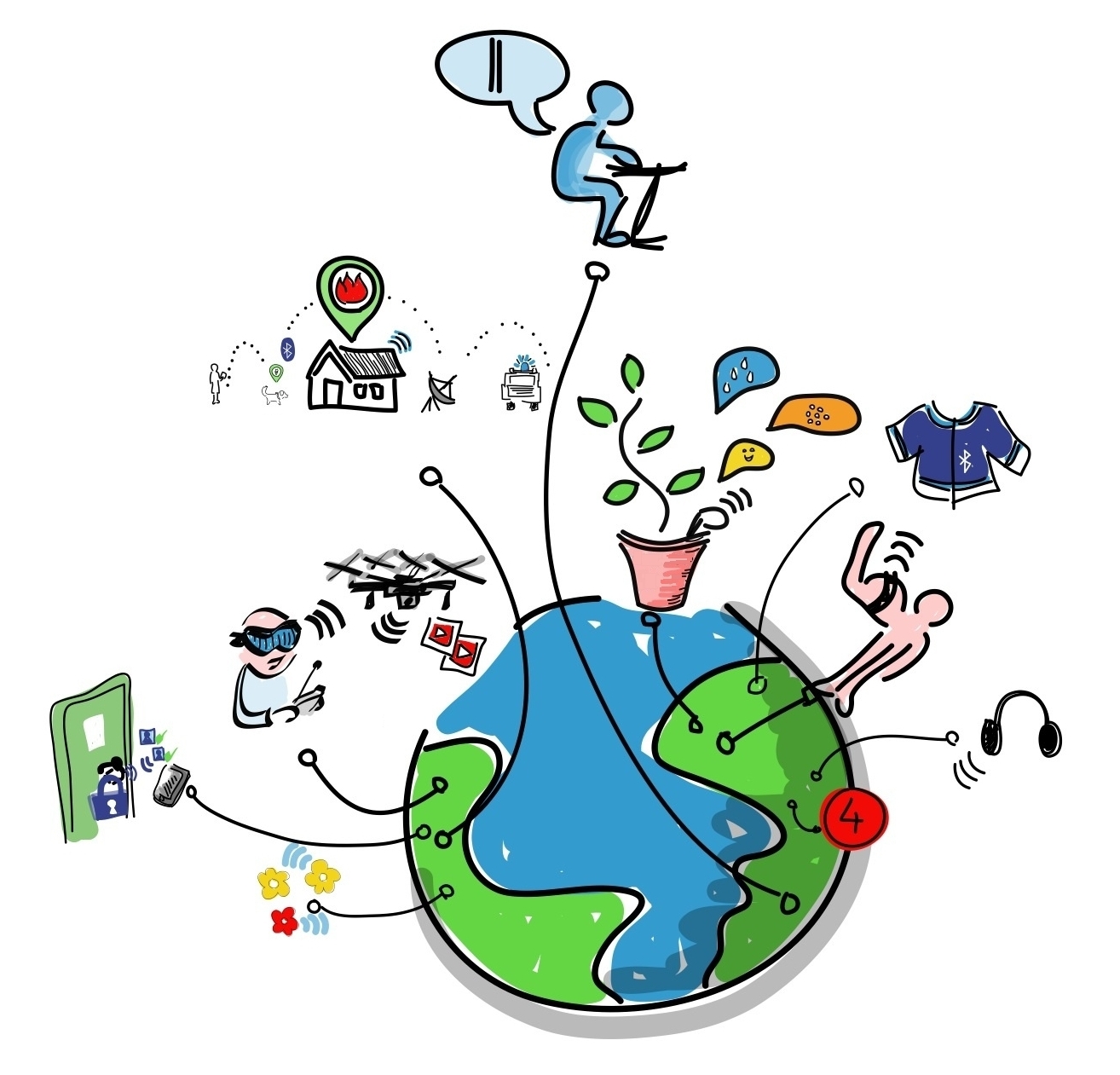
. The teacher will also demonstrate some websites which show how the internet is helping in communicating.
Student activities
- In small groups, make a list or a concept map of all the areas where you think computers are connected.
- Practise with typing with the keyboard and mouse.
Portfolio
- The mind maps made by the groups can be collected and digitized.
- Lesson logs of use in Tux Tping.